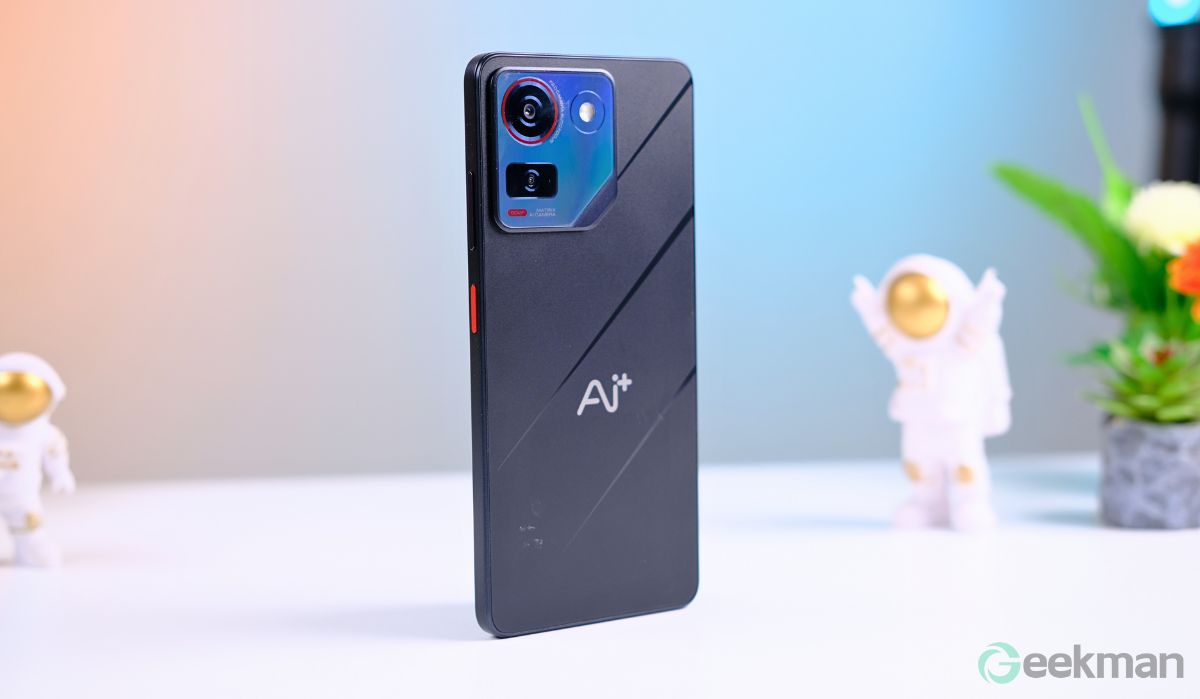
Download the latest official stock ROM (flash file) for Ai+ Pulse 1 with FRP lock remove support. This firmware is designed to fix software issues, remove Google FRP lock, repair bootloop problems, and restore your device to factory condition.
If your Ai+ Pulse 1 is stuck on the logo, dead after flash, hanging, or locked with Google account verification, this official SPD firmware can help you safely reinstall the system and bring your phone back to normal working condition.
The file is 100% official and compatible with SPD / Unisoc flashing tools like Research Download Tool.
✅ Remove FRP (Google Account Lock)
✅ Fix bootloop / hanging logo
✅ Unbrick dead phone
✅ Restore to factory condition
✅ Fix software issues & bugs
📥 Firmware Details:
-
Model: Ai+ Pulse 1
-
Version: Latest Available Version
-
CPU: Spreadtrum / Unisoc (SPD)
-
File Type: Official Flash File (Stock ROM)
-
Tool Required: SPD Research Download Tool
📥 Download Official Stock ROM (Flash File)
✅ Ai+ Pulse 1 Latest Official Firmware
Download the official stock firmware (SPD flash file) for Ai+ Pulse 1 — use this to restore or fix software + flash via SPD Tool: AI_Plus_Pulse_1_SW_V05_20250905_SPD.zip Download (Latest Official)
📦 Version: V05
📅 Date: 31‑01‑2026
📁 Size: ~3.35 GB
(Whatsapp Only +9131162822)Contact Me For Online Unlocking And Remote Service Fix All Software Related Problem
🛠️ How to Flash: Ai+ Pulse 1 Latest FRP
-
Install SPD USB Drivers on PC
-
Extract the firmware file
-
Open Research Download Tool
-
Load the .pac file
-
Click Start
-
Connect phone (Power Off + Volume Key)
-
Wait until flashing completes
Related Post :
- Lava Yuva 5G (LXX510) Latest FRP Lock Remove File SPD | Download
- CMF Phone 2 Pro OS 4.0 Android 16 FRP Remove Flash File Stock ROM Official Firmware
- Nothing Phone 1 (OS 3.2) Latest FRP Flash File (Stock ROM)
- Nothing Phone 3a Lite FRP Flash File (Stock ROM)
- Internet Download Manager (IDM) 6.42.58 Lifetime Pre-Activated License
- Ai+ Pulse 1 Latest FRP Lock Remove (official Flash File) Stock Rom
- Nothing Phone 3 Latest (4.0 OS) FRP Remove Flash File (Android 16)
- Nothing Phone 2a Plus FRP Remove Flash File (Stock ROM OS 4.0)